Graphic Design Course
Love being creative? Turn your passion into a profession! Our Advanced Diploma in Graphic Designing teaches you industry-standard tools like CorelDRAW, Adobe Photoshop, Adobe Illustrator & Adobe InDesign — from scratch. Learn to design logos, posters, social media creatives, packaging, publications and so much more. Get certified, build your portfolio and launch your creative career today!
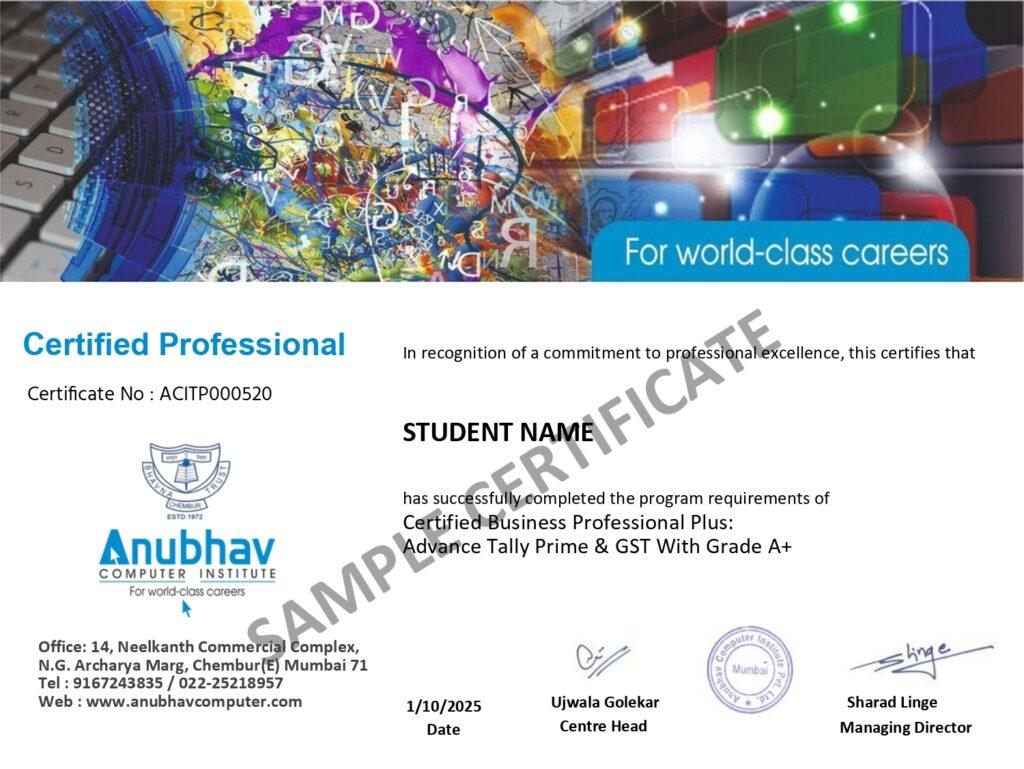
- Recognized Certification
- Beginner Friendly Course
- Practical Computer Training
- Industry Expert Trainer
- Government Recognized Certification
- Beginner Friendly Course
- Practical Computer Training
- Industry Expert Trainer

About Course
Hey Creative Soul — This One’s for You!
Have you always had an eye for good design? Do you find yourself noticing logos, posters, colour combinations and layouts? Well, that creative instinct you have is actually a superpower — and we’re here to help you turn it into a full-blown career!
The Advanced Diploma in Graphic Designing at Anubhav Computer Institute is a complete, job-ready program that teaches you the most in-demand design tools used by professionals across the world. From creating stunning logos and branding materials to designing social media posts, packaging, magazines and digital artwork — you’ll learn it all, step by step, in a fun and supportive environment.
No prior design experience? Absolutely no problem! We start from the basics and take you all the way to building a professional portfolio that will impress any employer or client.
What You’ll Learn in This Course
- Design logos, icons, branding materials and marketing assets
- Create stunning posters, banners, flyers and brochures
- Edit and retouch photos professionally using Adobe Photoshop
- Build vector illustrations, infographics and cartoon characters
- Design packaging, stationery and business cards
- Create social media posts, ads and digital artworks
- Master professional page layouts for magazines, newspapers and eBooks
- Work with industry-standard tools — CorelDRAW, Illustrator, Photoshop & InDesign
- Explore Advance AI Tools for modern design workflows
- Build a strong, job-ready design portfolio from scratch
Tools You Will Learn
Learn industry-relevant tools with practical training designed to make you confident, skilled, and job-ready.












Graphic Design Course Curriculum
This program covers important concepts and practical skills required for today’s digital world.
Module 1 : Introduction to Graphic Design
Fundamentals of Graphic Design
- What is Graphic Design?
- Types of Graphic Design
- Career Opportunities
- Design Principles
- Color Psychology
- RGB vs CMYK
- DPI & Resolution
Topic 2: File Formats
- JPG
- PNG
- SVG
- AI
- PSD
- EPS
Module 2: Adobe Photoshop
Chapter 1 : Photoshop Basics
- Photoshop Interface
- Workspace Customization
- Toolbar
- Panels
- Preferences
- Keyboard Shortcuts
Chapter 2: Selection Tools
- Move Tool
- Marquee Tool
- Lasso Tool
- Polygonal Lasso
- Magnetic Lasso
- Quick Selection
- Magic Wand
- Select Subject
Chapter 3: Layers
- Layer Basics
- Layer Lock
- Layer Groups
- Smart Objects
- Layer Styles
Chapter 4: Image Editing
- Crop Tool
- Straighten Image
- Rotate
- Resize
- Canvas Size
- Perspective Crop
Chapter 5: Photo Retouching
- Spot Healing Brush
- Healing Brush
- Clone Stamp
- Patch Tool
- Remove Tool
- Content Aware Fill
Chapter 6: Color Correction
- Brightness & Contrast
- Levels
- Curves
- Hue/Saturation
- Vibrance
- Selective Color
- Color Balance
Chapter 7: Masks
- Layer Mask
- Clipping Mask
- Gradient Mask
- Refine Edge
Chapter 8: Text & Typography
- Text Tool
- Character Panel
- Paragraph Panel
- Text Effects
- Warp Text
Chapter 9: Brushes
- Brush Settings
- Brush Presets
- Mixer Brush
- Digital Painting Basics
Chapter 10: Filters & Effects
- Blur Filters
- Sharpen
- Liquify
- Camera Raw Filter
- Smart Filters
Module 3: Adobe Illustrator
Chapter 1: Illustrator Basics
- Interface
- Artboards
- Panels
- Workspace
Chapter 2: Drawing Tools
- Pen Tool
- Pencil Tool
- Curvature Tool
- Shape Tools
Chapter 3: Vector Design
- Pathfinder
- Shape Builder
- Align
- Transform
Chapter 4: Color & Gradient
- Swatches
- Gradient Tool
- Mesh Tool
- Pattern Creation
Chapter 5: Typography
- Type Tool
- Character Formatting
- Text on Path
- Outline Text
Chapter 6: Logo Design
- Logo Principles
- Grid System
- Icon Design
- Brand Identity
Chapter 7: Illustration
- Character Illustration
- Flat Design
- Isometric Design
Module 4: Adobe InDesign
Chapter 1: Introduction
- Interface
- Pages
- Master Pages
Chapter 2: Layout Design
- Text Frames
- Image Frames
- Paragraph Styles
- Character Styles
Chapter 3: Multi-page Design
- Magazine
- Catalogue
- Newspaper
- Book Layout
Chapter 4: Print Setup
- Bleed
- Margins
- Export PDF
Module 5: Canva Pro
Topics
- Canva Interface
- Templates
- Brand Kit
- Social Media Design
- Presentation Design
- Resume Design
- Animation
- Video Editing Basics
Module 6: AI Tools for Designers
Topics
- Introduction to AI in Design
- Prompt Writing
- AI Image Generation
- AI Background Removal
- AI Image Enhancement
- AI Logo Generator
- AI Poster Design
- AI Mockup Creation
- AI Presentation Tools
Module 7: Portfolio Development
Topics
- Portfolio Planning
- Behance Portfolio
- Dribbble Portfolio
- Resume Design
- Personal Branding
- Freelancing Basics
- Client Communication
Want Complete Details About the Course?
Get complete information about the Course
Key Highlights of the Course
Explore the important features and benefits that make the program a valuable certification for computer learning.
Recognized
Certification
Practical Lab
Training
Industy Expert
Trainer
Updated Course
Curriculum
Flexible Learning
Batches
Hands-on
Practice
Want Complete Details About the Course?
Get complete information about the Course
Start Your Learning Journey
Get started with a simple enrollment process and begin developing your skills with structured learning.

1. Fill the Enquiry Form
Submit your details through the website form to show your interest in the course.

2. Get Career Guidance
Our team will contact you to explain the course details, syllabus, batch timings, and answer your questions.

3. Enroll for Course
Confirm your seat by completing the registration process and submitting the required details.

4. Start Your Classes
Attend practical training sessions and begin learning essential computer and digital skills.
A Certification That Builds Digital Confidence
Earn the Recognized certification that validates your computer knowledge and digital skills required in today’s technology-driven world.
Industry Recognized Certification
Receive the Industry Recognized and a Trusted certification that demonstrates your ability to use computers and digital tools effectively.
Practical Computer Skills
The course is designed with a practical approach, enabling students to develop skills and gain experience using industry-relevant tools and techniques.
Valuable for Career Growth
The program follows a practical learning approach, enabling students to build strong skills and gain hands-on experience.