Graphic Design Course
Love being creative? Turn your passion into a profession! Our Advanced Diploma in Graphic Designing teaches you industry-standard tools like CorelDRAW, Adobe Photoshop, Adobe Illustrator & Adobe InDesign — from scratch. Learn to design logos, posters, social media creatives, packaging, publications and so much more. Get certified, build your portfolio and launch your creative career today!
- Recognized Certification
- Beginner Friendly Course
- Practical Computer Training
- Industry Expert Trainer
- Government Recognized Certification
- Beginner Friendly Course
- Practical Computer Training
- Industry Expert Trainer

About Course
Hey Creative Soul — This One’s for You!
Have you always had an eye for good design? Do you find yourself noticing logos, posters, colour combinations and layouts? Well, that creative instinct you have is actually a superpower — and we’re here to help you turn it into a full-blown career!
The Advanced Diploma in Graphic Designing at Anubhav Computer Institute is a complete, job-ready program that teaches you the most in-demand design tools used by professionals across the world. From creating stunning logos and branding materials to designing social media posts, packaging, magazines and digital artwork — you’ll learn it all, step by step, in a fun and supportive environment.
No prior design experience? Absolutely no problem! We start from the basics and take you all the way to building a professional portfolio that will impress any employer or client.
What You’ll Learn in This Course
- Design logos, icons, branding materials and marketing assets
- Create stunning posters, banners, flyers and brochures
- Edit and retouch photos professionally using Adobe Photoshop
- Build vector illustrations, infographics and cartoon characters
- Design packaging, stationery and business cards
- Create social media posts, ads and digital artworks
- Master professional page layouts for magazines, newspapers and eBooks
- Work with industry-standard tools — CorelDRAW, Illustrator, Photoshop & InDesign
- Explore Advance AI Tools for modern design workflows
- Build a strong, job-ready design portfolio from scratch
Tools You Will Learn
Learn industry-relevant tools with practical training designed to make you confident, skilled, and job-ready.














Graphic Design Course Curriculum
This program covers important concepts and practical skills required for today’s digital world.
Module 1 : CorelDRAW (Vector Graphic Design)
- Creating logos, icons and branding materials from scratch
- Using Bezier tools for drawing precise curves and shapes
- Designing layouts for flyers, brochures and posters
- Applying colour theory and gradient techniques
- Developing business cards, banners and marketing assets
- Creating packaging designs and stationery
- Managing layers and objects efficiently
- Creating custom illustrations from scratch
Module 2: Adobe Illustrator (Vector Illustration)
- Understanding and working with scalable vector graphics
- Designing logos, icons and infographics
- Working with typography and custom fonts
- Learning 3D effects, gradients and mesh tools
- Creating packaging design and branding assets
- Building vector characters and cartoon illustrations
- Exporting files in multiple formats for web and print
- Developing a strong illustration and design portfolio
- Creating stationery design collections
Module 3: Adobe Photoshop (Raster Image Editing)
- Photo editing and retouching techniques
- Creating social media posts, ads and web graphics
- Mastering layers, masks and blending modes
- Working with smart objects for flexible designs
- Designing posters, banners and digital artworks
- Using mockups and templates for real-world projects
- Building a portfolio with creative photo manipulations
- Exploring the Advance AI Tool Workshop for smart design
Module 4: Adobe InDesign (Publishing & Layout Design)
- Learning professional page layout design
- Creating magazines, newspapers and eBooks
- Mastering multi-page documents and master pages
- Working with typography, grids and guides
- Applying stylesheets for consistent formatting
- Creating interactive PDFs and digital publications
- Pre-press and print production setup
- Designing tables, catalogues and brochure layouts
Want Complete Details About the Course?
Get complete information about the Course
Key Highlights of the Course
Explore the important features and benefits that make the program a valuable certification for computer learning.
Government
Certification
Practical Lab
Training
Industy Expert
Trainer
Updated Course
Curriculum
Flexible Learning
Batches
Hands-on
Practice
Who Can Join & What You Will Gain
Discover who can enroll in this course, the benefits of learning, and the practical skills you will gain to grow your career.
- Who Can Join the Course
- Benefits of Learning the Course
- What Will You Gain
This course is designed for anyone who wants to build practical skills and improve their career opportunities. Whether you are a beginner or looking to upgrade your existing knowledge, this program is suitable for learners at different levels.
Students and freshers
Job seekers looking to gain skills
Working professionals wanting to upgrade
Business owners and entrepreneurs
Anyone interested in learning new skills
This course focuses on practical learning and skill development to help you grow professionally and stay competitive in today’s market.
Gain industry-relevant skills
Improve job and career opportunities
Build confidence with practical knowledge
Learn tools and techniques used in real work
Add value to your resume
By completing this course, you will develop the knowledge and practical skills required to perform tasks confidently in real-world scenarios.
Hands-on practical experience
Understanding of tools and technologies
Problem-solving and task execution skills
Industry-relevant knowledge
Confidence to work independently
Want Complete Details About the Course?
Get complete information about the Course
Start Your Learning Journey
Get started with a simple enrollment process and begin developing your skills with structured learning.

1. Fill the Enquiry Form
Submit your details through the website form to show your interest in the course.

2. Get Career Guidance
Our team will contact you to explain the course details, syllabus, batch timings, and answer your questions.

3. Enroll for Course
Confirm your seat by completing the registration process and submitting the required details.

4. Start Your Classes
Attend practical training sessions and begin learning essential computer and digital skills.
A Certification That Builds Digital Confidence
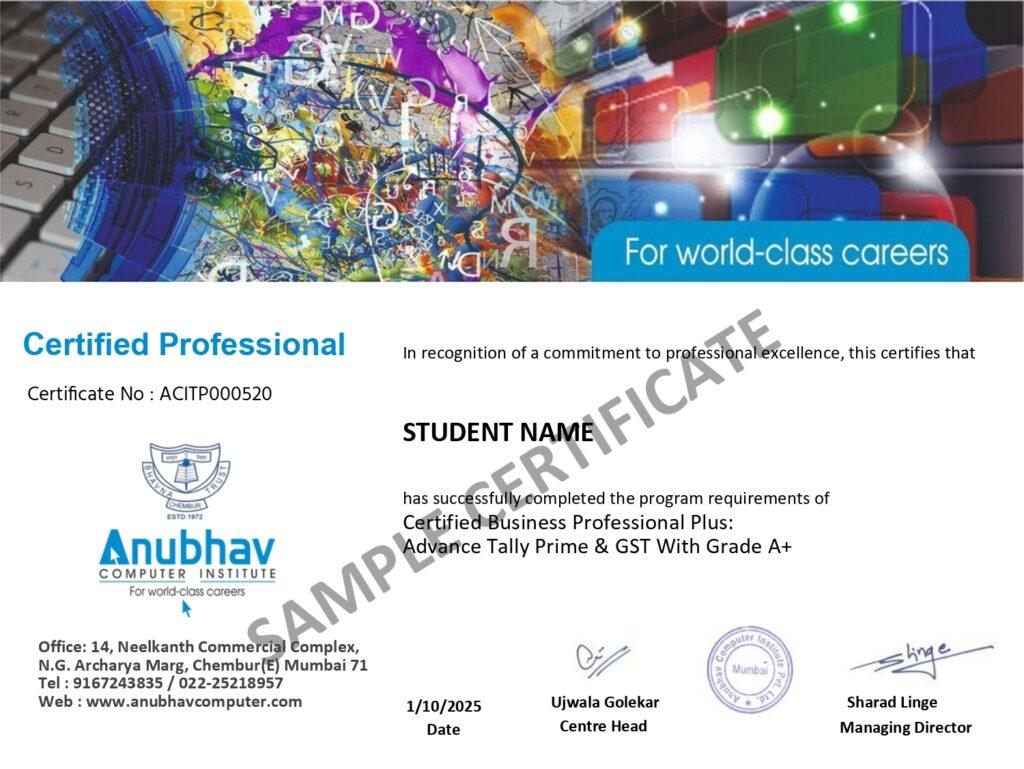
Earn the Recognized certification that validates your computer knowledge and digital skills required in today’s technology-driven world.
Industry Recognized Certification
Receive the Industry Recognized and a Trusted certification that demonstrates your ability to use computers and digital tools effectively.
Practical Computer Skills
The course is designed with a practical approach, enabling students to develop skills and gain experience using industry-relevant tools and techniques.
Valuable for Career Growth
The program follows a practical learning approach, enabling students to build strong skills and gain hands-on experience.